
Searching Cases by Name
Marion County sits among the courts reachable through the Indiana MyCase search. Anyone can search anonymously. No account is needed for public queries. The trick with a name search is balance: keep it tight enough to shut out unrelated matches, yet loose enough that an optional field does not screen out the very case you want.
- Choose party search and enter the last name plus as much of the first and middle name as is known.
- Select Marion County or the likely court, then add case type, status, or filing-date limits when useful.
- Use date of birth only when needed and authorized; do not copy private identifiers into notes.
- Open the matching case summary and confirm the cause number, court, case type, filing date, and party role.
- Read the CCS and verify key information with the Clerk or the official file when accuracy matters.
| Field | How to use it |
|---|---|
| Party name | Last name with first and middle details; business-name search is available where appropriate. |
| Court | Narrow to Marion Circuit, a Superior division, Beech Grove, or a township court if known. |
| Case type | Limit the search to the relevant criminal, civil, family, probate, citation, or other category. |
| Status | Choose open or closed when the likely status is known, but remove it if the result is missing. |
| Filed range | Use a reasonable period for a common name and expand it if necessary. |
Marion MyCase Public Entry Point
MyCase is the public front end of Odyssey. It is one statewide system, not a Marion County database of its own. Marion Circuit Court runs on it. So do the 36 Superior Courts, the township small-claims courts, and Beech Grove City Court. Older cases and confidential matters may not appear there. The docket never replaces the official record, which stays with the court and the Marion County Clerk.
For a public Marion County case search, start at the MyCase public landing page. That official page is where court docket lookups for Marion County begin.
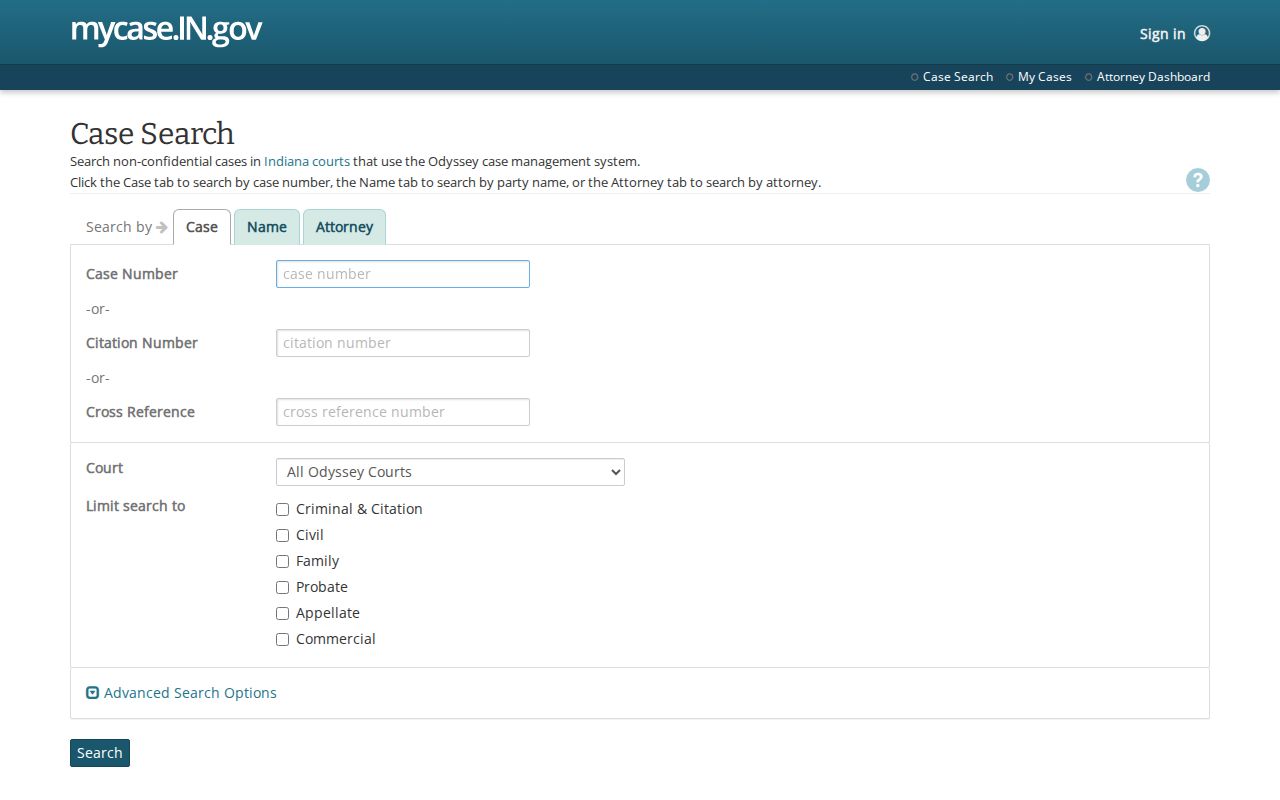
The public search runs without a login. Signing in changes which documents you can see, not whether the search exists.
Searching by Case Number
Nothing beats a full cause number for a precise Marion County case search. Indiana cause numbers usually weave together the county and court, the year and month, the case type, and a six-digit sequence. Take 49D01-0909-GU-999999 as one official example. The 49 means Marion County. D01 marks Superior Court 1, 0909 gives the filing year and month, GU names the case type, and the trailing digits are the sequence. Type the whole number first. MyCase also accepts a case number without hyphens. If nothing comes back, recheck the characters, drop any optional filters, and confirm whether the court code is current or historical. Circuit Court uses codes beginning 49C, Superior divisions use 49D, Beech Grove City Court uses 49H01, and township courts use 49K. The former Cumberland Town Court used 49I01, and transferred records may keep an old identifier or pick up a new one.
Marion Case Search Filters
The state's MyCase search tips walk through the party, case, attorney, wildcard, court, category, status, and date controls. Two limits matter. A wildcard must sit at the end of a field, and the value has to begin with a letter or number. A query topping 1,000 matches cannot be displayed, so a broad common-name search needs narrowing, as the tips page explains.
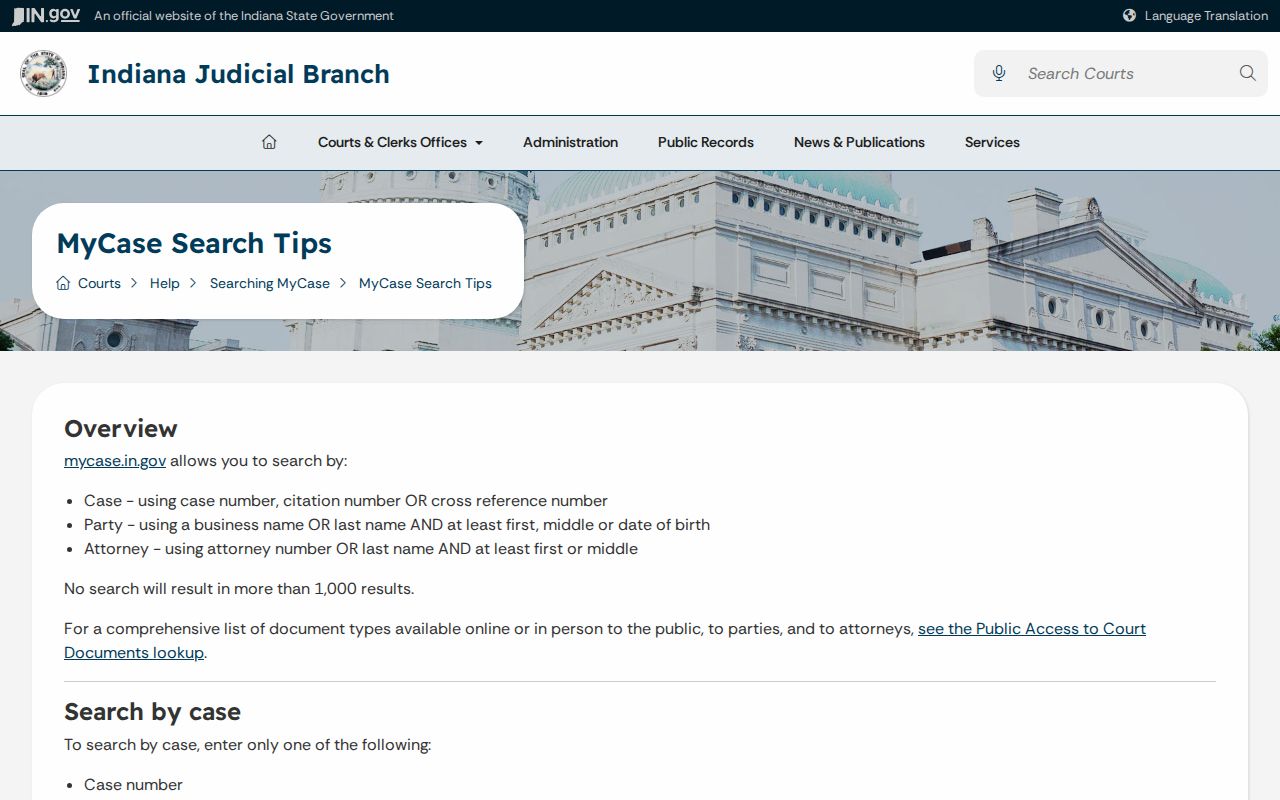
Work the controls in stages. Begin with a strong identifier, then add one narrow filter at a time, removing filters one by one if a likely case drops from view.
No result is not proof of no case. The record may be older, converted, confidential, sealed, expunged, transferred, filed in another county, or outside Odyssey's displayed years.
What a Case Search Returns
A result can open into a case summary with a public Chronological Case Summary attached. How much you see depends on the case. The case type, the date, the court, and who is asking all shape the view. A document icon means that audience may open the linked document. An icon may be missing. That does not prove the filing never existed.
| Case Number | The Marion cause number, assigned court, and searchable identifier. |
|---|---|
| Style / Parties | The public caption and allowed party names with roles such as plaintiff, defendant, petitioner, or respondent. |
| Case Type | The category code and description, such as criminal, civil, family, probate, guardianship, or protection order. |
| Filed Date | The date the case was opened, with a status date where supplied. |
| Status | Open, closed, disposed, transferred, or another recorded status; it does not explain the outcome by itself. |
| CCS Events | Date-stamped filings, notices, service, motions, settings, orders, judgments, payments, and disposition events. |
| Financial | Fees, costs, credits, payments, and balances that may lag recent activity. |
Marion Case Search Party Access
Public search stays anonymous, but a party to a case can reach more documents once identity is verified. The MyCase party-access process pairs an Indiana Courts account with a case access code. Each code stays active for 21 days, access runs 180 days with renewal, and no more than 10 codes may be requested per day.
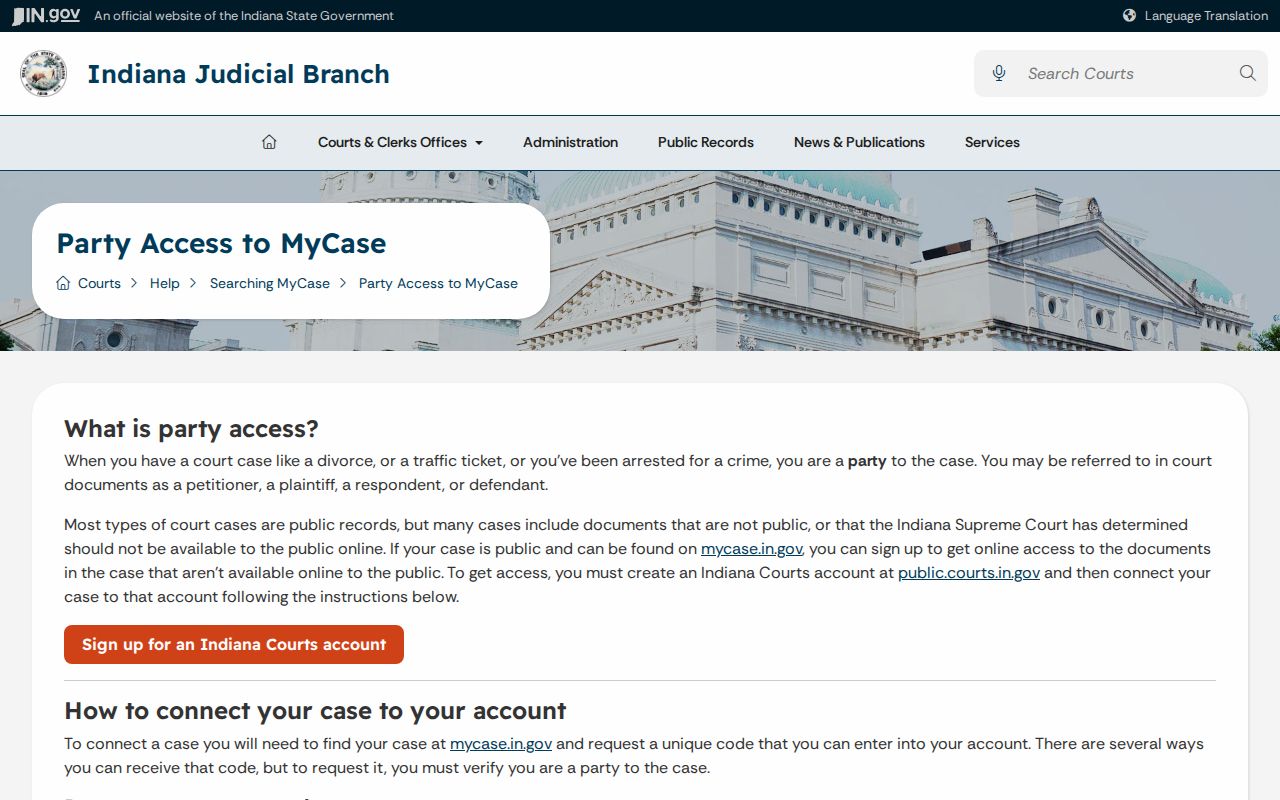
That wider access covers a person's own case and verified identity only. The Marion County Clerk can verify identity with valid identification and a cause number, and the Clerk keeps the official record.
Statewide vs County Case Search
Marion County offers no second, deeper county-only case-search portal. MyCase serves as the statewide layer and as Marion's main public search surface at once. Local access means the Clerk, the court divisions, township counters, and the Community Justice Campus. Those are places to visit, not a competing database.
| Statewide MyCase | Marion local access |
|---|---|
| Searches participating Odyssey courts across Indiana. | Targets the exact Marion court, clerk counter, or township court holding the record. |
| Offers public case summaries, CCS events, and selected documents. | Provides the official file, certified copies, and help with older or non-online material. |
| Best for a cause-number or filtered name search. | Best when the search is missing, stale, restricted, transferred, or needs certification. |
The alternate official address mycase.in.gov routes to the same public system.
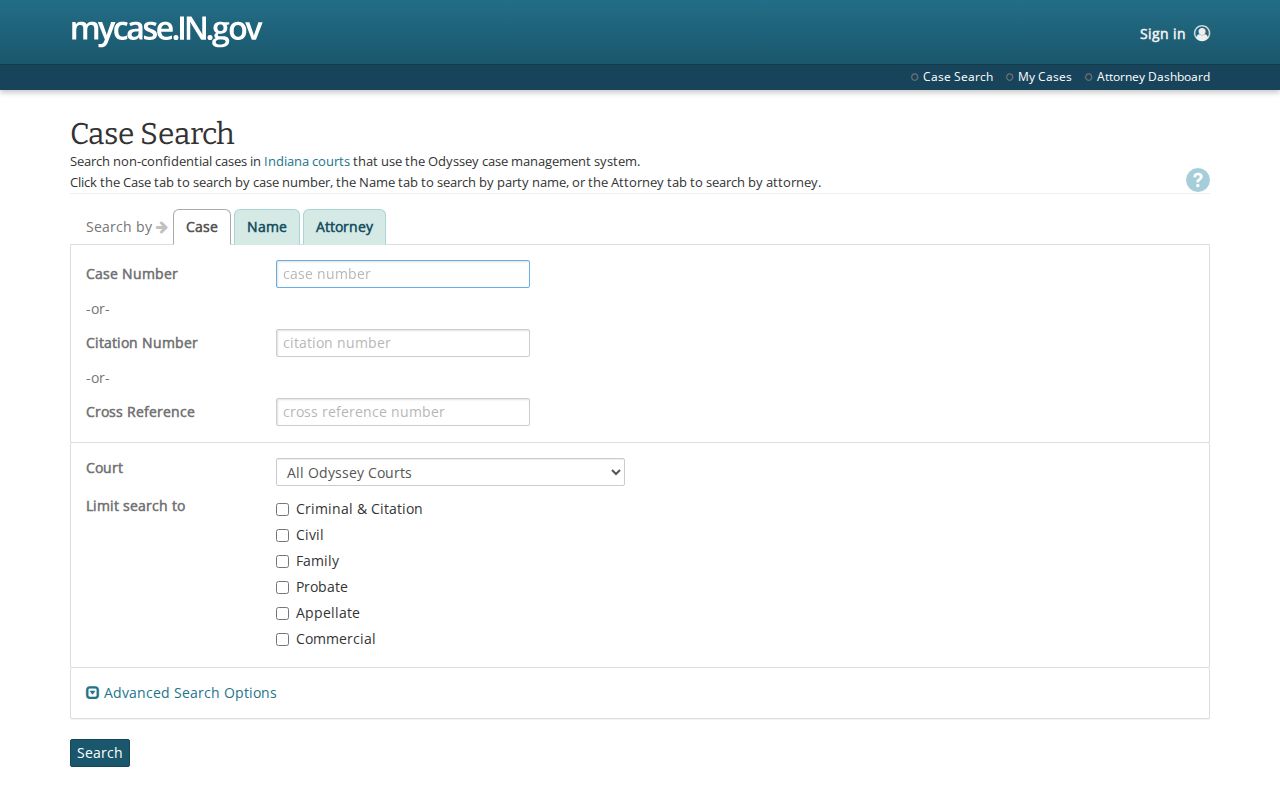
The two MyCase addresses are not separate databases. Never treat them as independent confirmation of a case.
Marion Case Search Specialty Portals
Some record families live on a different public index. Protection orders and no-contact orders filed statewide from July 1, 2009 appear in the Protection Order Search. That index never shows victim information. Search there by respondent name or cause number. Start with no optional criteria, since extra filters can push a result out of view. The Guardianship Registry is a limited public index, not the full probate file. Federal civil, criminal, and bankruptcy cases sit outside MyCase entirely. They live in PACER or the relevant federal CM/ECF system. A Marion address does not turn a federal case into a Marion trial-court case. Figure out which court system you are in before deciding a state search failed.
Access and Restricted Cases
Two rules govern what the public can see: Indiana's Access to Court Records Rules and Administrative Rule 9. Some material stays off limits. Sealed, expunged, juvenile, adoption, older paternity, mental-health, and certain protection-order information may be restricted or missing from a Marion County court docket entirely. Even in open cases, document access depends on the case type. A public CCS entry may prove a filing happened while the paper itself stays offline. That gap is normal, not a sign of trouble.
When a Marion County case search hides a document you need, pick up the phone. Call the Marion County Clerk at 317-327-4740. Stop at the right clerk or court counter, or ask which mail, email, or fax channel currently handles copy requests. Be ready with the exact cause number. Add the court, the document or date range, and whether you want an ordinary or certified copy. Include your contact information too. Hold off on mailing originals or payment. Wait until the Clerk confirms the current process and the charges.
MyCase warns that its public display may contain errors or omissions, so verify any relied-on event with the court-held record.
Verify a Marion Case Search Result
A status label is only a starting point. Read the whole CCS entry, not just the word "closed." A closed Marion County case search result tells you nothing about how it ended. It could have closed by dismissal, judgment, plea, transfer, or something else. Money figures can go stale. A converted event may carry less detail than a native Odyssey entry. And a hearing listed for next month can move at any time. It can even move after you run the search.
Check a near-term setting against the Marion County Court Calendar before you rely on it. For an official ruling, request the signed order or a certified copy from the Clerk. Need a transcript or recording? Go to the court reporter, because the docket is not one. Save your search date, the exact cause number, the assigned court, the case type, and the event description. That way a later verification request lands in the right place the first time.